

Watch Mode
Automatic reloading in Bun with --watch and --hot modes
Bun supports two kinds of automatic reloading:
--watchmode, which hard restarts Bun's process when imported files change.--hotmode, which soft reloads the code (without restarting the process) when imported files change.
--watch mode
Watch mode works with bun test and bun build, and when running TypeScript, JSX, and JavaScript files.
To run a file in --watch mode:
bun --watch index.tsx
To run your tests in --watch mode:
bun --watch test
To type check before every restart, add --check. After a type error, Bun waits for your next change instead of running the file.
bun --watch --check index.tsx
In --watch mode, Bun keeps track of all imported files and watches them for changes. When a file changes, Bun restarts the process with the same CLI arguments and environment variables as the initial run. If Bun crashes, --watch attempts to restart the process.
The following examples show Bun live-reloading a file as you edit it, with VSCode configured to save the file on each keystroke.
bun run --watch watchy.tsx
 watchy.tsx
import { serve } from "bun";
console.log("I restarted at:", Date.now());
serve({
port: 4003,
fetch(request) {
return new Response("Sup");
},
});
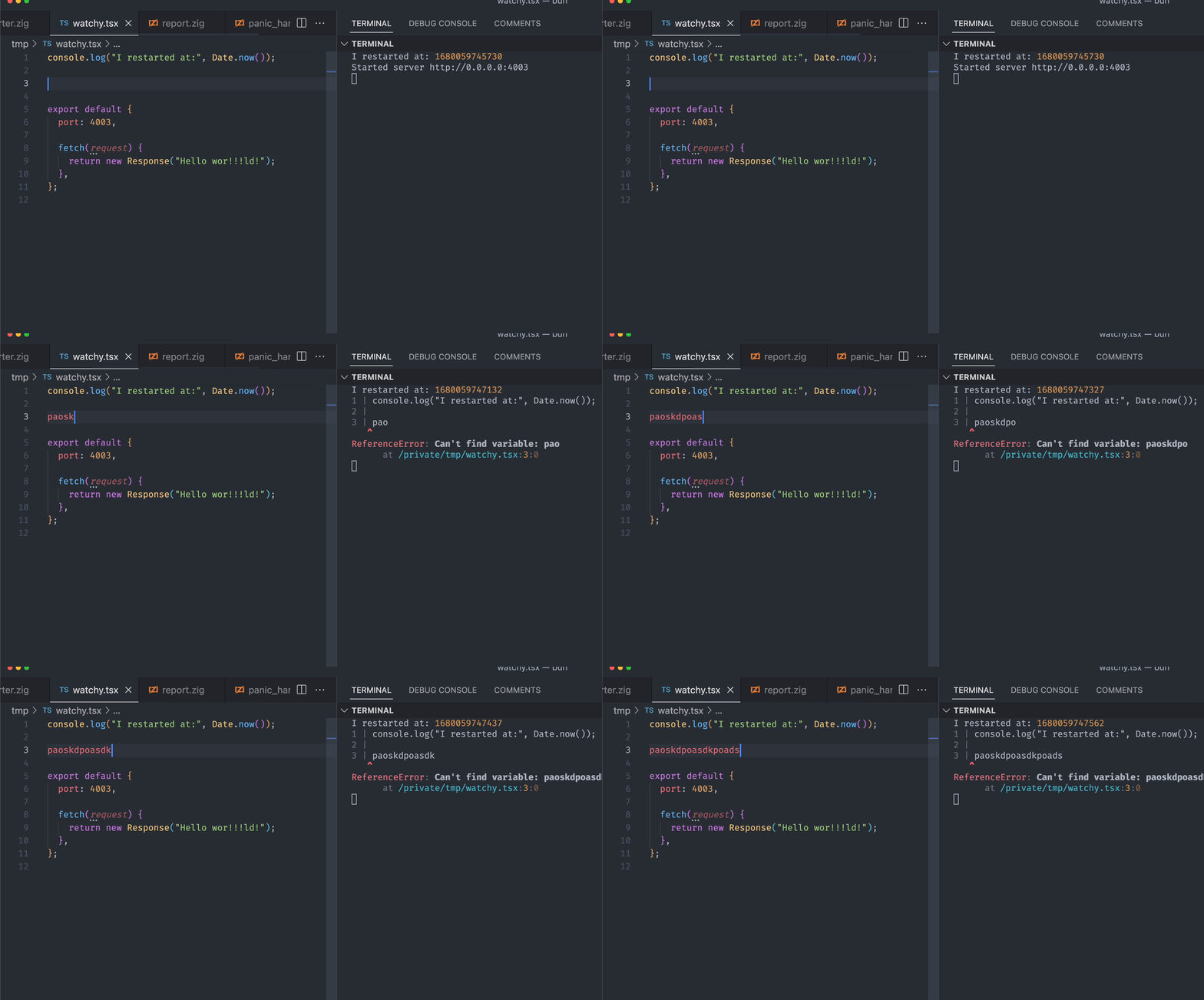
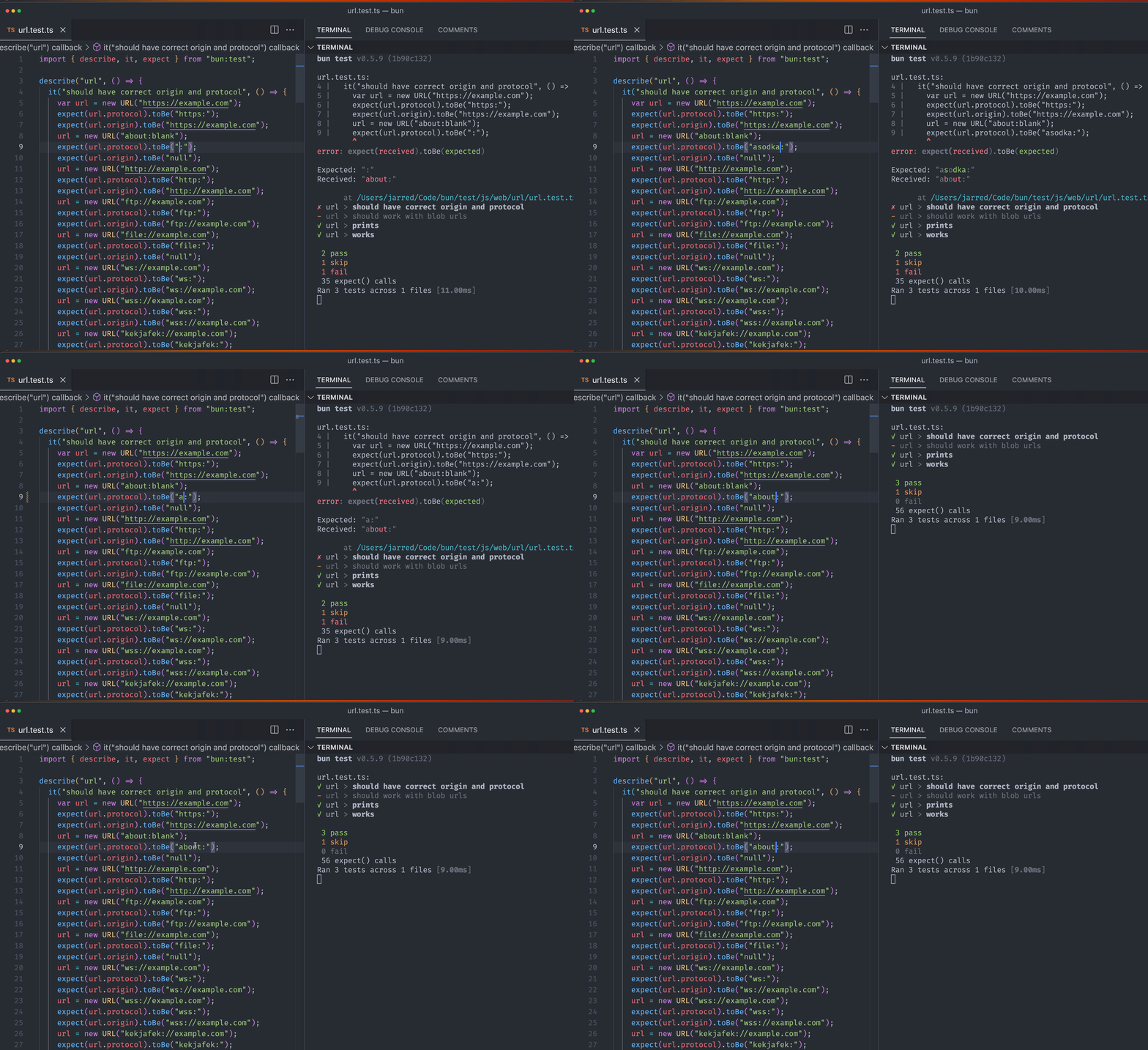
Running bun test in watch mode with save-on-keypress enabled:
bun --watch test
--hot mode
Use bun --hot to enable hot reloading when executing code with Bun. Unlike --watch mode, Bun doesn't hard-restart the entire process. It detects code changes and updates its internal module cache with the new code.
bun --hot server.ts
Starting from the entrypoint (server.ts in this example), Bun builds a registry of all imported source files (excluding those in node_modules) and watches them for changes. When a file changes, Bun performs a "soft reload". Bun re-evaluates all files, but global state (notably, the globalThis object) persists.
server.ts// make TypeScript happy
declare global {
var count: number;
}
globalThis.count ??= 0;
console.log(`Reloaded ${globalThis.count} times`);
globalThis.count++;
// prevent `bun run` from exiting
setInterval(function () {}, 1000000);
If you run this file with bun --hot server.ts, you'll see the reload count increment every time you save the file.
bun --hot server.ts
Reloaded 0 times
Reloaded 1 times
Reloaded 2 times
Traditional file watchers like nodemon restart the entire process, so HTTP servers and other stateful objects are lost. By contrast, bun --hot reflects the updated code without restarting the process.
HTTP servers
You can update your HTTP request handler without shutting down the server: when you save the file, Bun reloads the server with the updated code without restarting the process. This results in seriously fast refresh speeds.
server.tsglobalThis.count ??= 0;
globalThis.count++;
Bun.serve({
fetch(req: Request) {
return new Response(`Reloaded ${globalThis.count} times`);
},
port: 3000,
});
Implementation details
On hot reload, Bun:
- Resets the internal
requirecache and ES module registry (Loader.registry) - Runs the garbage collector synchronously (to minimize memory leaks, at the cost of runtime performance)
- Re-transpiles all of your code from scratch (including sourcemaps)
- Re-evaluates the code with JavaScriptCore
This implementation isn't particularly optimized. It re-transpiles files that haven't changed. It makes no attempt at incremental compilation. It's a starting point.