

Error Handling
Learn how to handle errors in Bun's development server
Bun.serve() runs in development mode by default. It is turned off when NODE_ENV=production is set or when you pass development: false.
 server.ts
Bun.serve({
development: false, // [!code ++]
fetch(req) {
throw new Error("woops!");
},
});
In development mode, when a request handler throws and no error handler returns a response, Bun responds with a built-in error page that includes the error message, stack trace, source code around each frame, and file paths. This is meant for debugging locally.
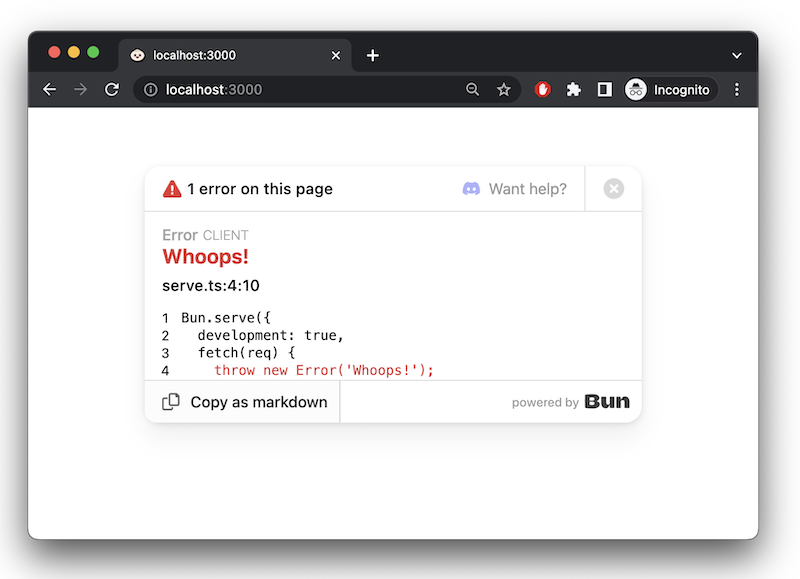
error callback
To handle server-side errors, implement an error handler. Return a Response to serve to the client when an error occurs. In development mode, this response replaces Bun's default error page.
TypeScript
Bun.serve({
  fetch(req) {
    throw new Error("woops!");
  },
  error(error) {
    return new Response(`<pre>${error}\n${error.stack}</pre>`, {
      headers: {
        "Content-Type": "text/html",
      },
    });
  },
});