

Bun Redis with Upstash
Upstash is a fully managed Redis database as a service. It works with the Redis® API, so you can connect with Bun's native Redis client.
- Create a new project
Create a new project with
bun init:terminalbun init bun-upstash-redis cd bun-upstash-redis - Create an Upstash Redis database
Go to the Upstash dashboard and create a new Redis database. After completing the getting started guide, you'll see your database page with connection information.
The database page displays two connection methods: HTTP and TLS. For Bun's Redis client, you need the TLS connection details; the URL starts with
rediss://.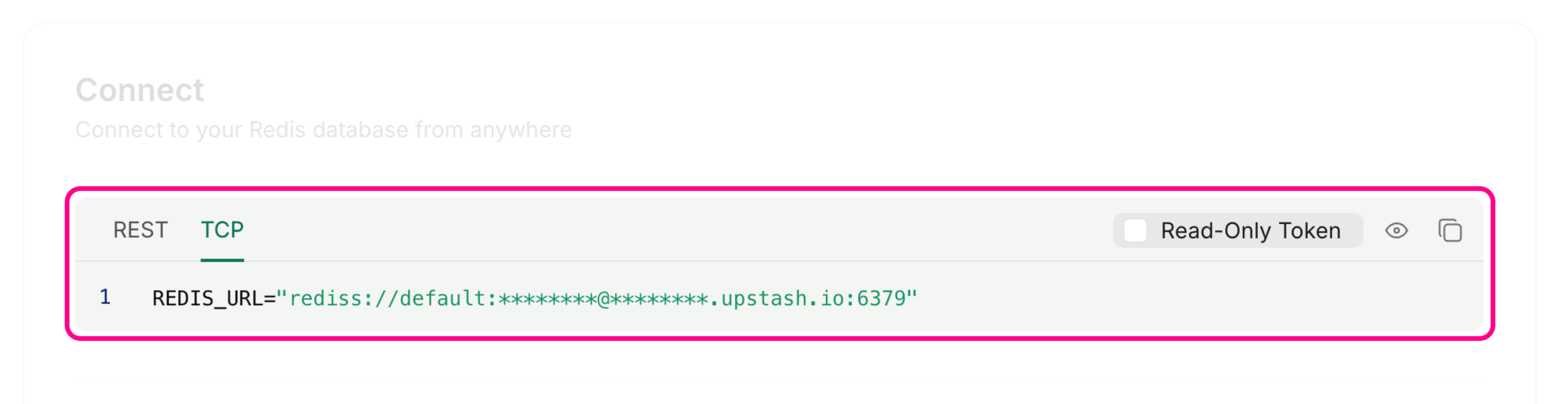
- Connect using Bun's Redis client
Set the
REDIS_URLenvironment variable in your.envfile using the Redis endpoint (not the REST URL):.envREDIS_URL=rediss://********@********.upstash.io:6379Bun's Redis client reads connection information from
REDIS_URLby default: index.ts
import { redis } from "bun"; // Reads from process.env.REDIS_URL automatically await redis.set("counter", "0"); // [!code ++]Alternatively, create a custom client with
RedisClient:index.tsimport { RedisClient } from "bun"; const redis = new RedisClient(process.env.REDIS_URL); // [!code ++] - Use the Redis client
Use the Redis client to read and write keys in your Upstash database:
index.tsimport { redis } from "bun"; // Get a value let counter = await redis.get("counter"); // Set a value if it doesn't exist if (!counter) { await redis.set("counter", "0"); } // Increment the counter await redis.incr("counter"); // Get the updated value counter = await redis.get("counter"); console.log(counter);Text1The Redis client handles connections automatically. You don't need to connect or disconnect manually for basic operations.